05 · Web & mobile applications

Apps
that
just work.

Booking systems, dashboards, customer portals and mobile apps — designed around the people who use them, then built properly.

Start an app project →

Concept studies

The work

Studies we made for imagined brands — so you can see how we think before we work together.

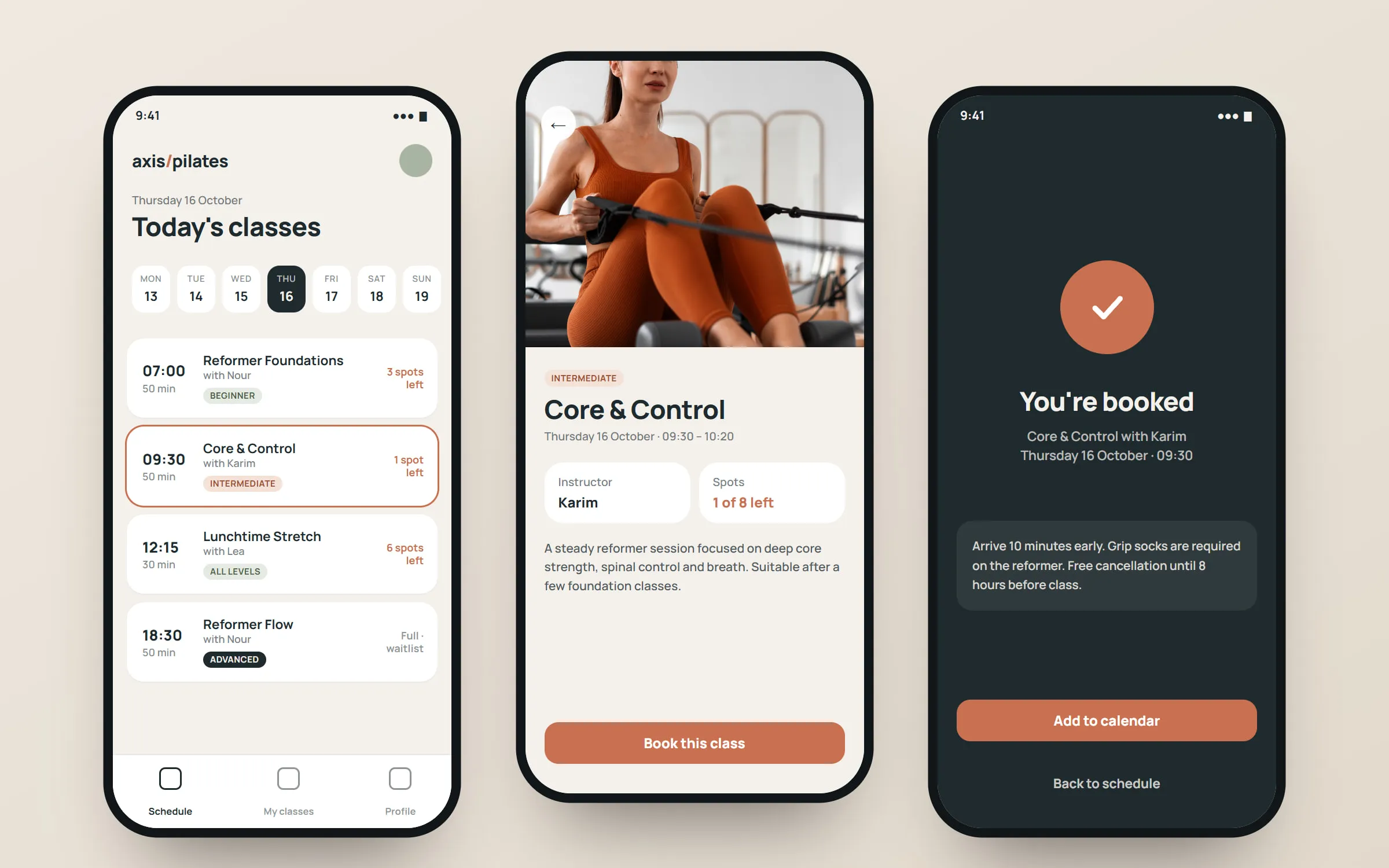
Three app screens side by side — the class schedule, a class detail page and a booking confirmation. Concept
study

Booking app concept · 01 / 01

Axis Pilates

A class booking app and studio dashboard for an imagined reformer pilates studio.

What's included

  • Web apps

    Dashboards, portals and tools that run in the browser.

  • Mobile apps

    For iPhone and Android, when customers need you in their pocket.

  • Interface design

    Flows and screens you can try before a line of code.

  • Bookings & payments

    Reservations, orders and payments that just work.

  • Integrations

    Connect the tools and systems you already use.

  • Support & updates

    Fixes, improvements and new features after launch.

How we work

  1. Map

    Who uses it and what they need to get done.

  2. Prototype

    Clickable screens to try before we build.

  3. Build

    In stages, so you see it working early.

  4. Launch

    Release, watch how it’s used, and improve it.

Good questions

Web app or mobile app?

Many ideas work best as a web app first — one build for every device. We’ll recommend honestly.

How much does an app cost?

It depends on what it needs to do. We scope it with you and give a clear quote before we start.

Can you work with our current system?

Often, yes — we look at what you have and connect to it where we can.

Booking app concept · Concept study

Axis Pilates

We imagined a busy studio taking bookings through messages and a shared spreadsheet, with clients unsure which classes had space and staff spending evenings confirming spots.

Three app screens side by side — the class schedule, a class detail page and a booking confirmation.
01 / 05 Schedule, class detail and confirmation.
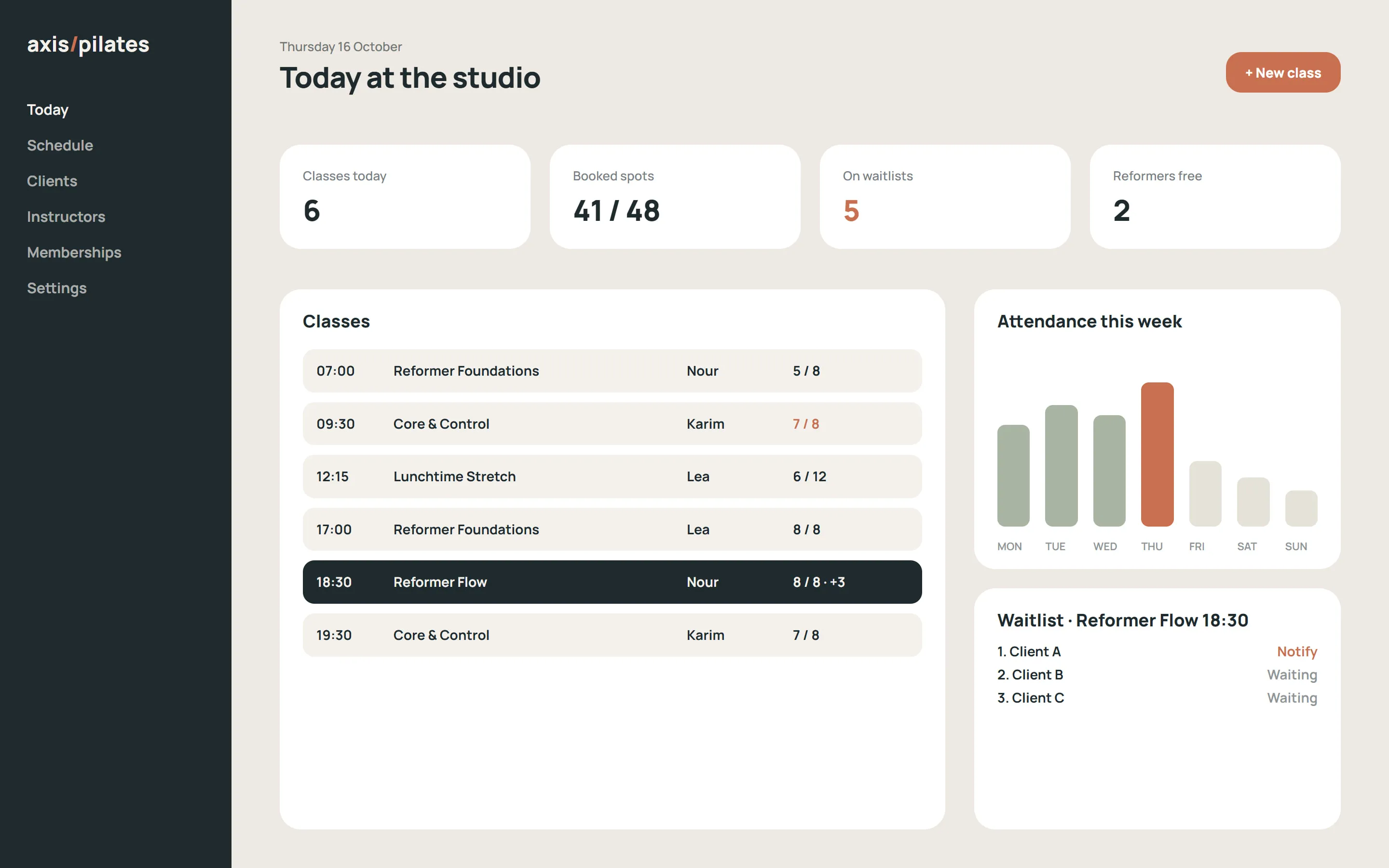
The studio dashboard showing today's classes, attendance counts and a waitlist panel.
02 / 05 The studio dashboard shares the app's components.
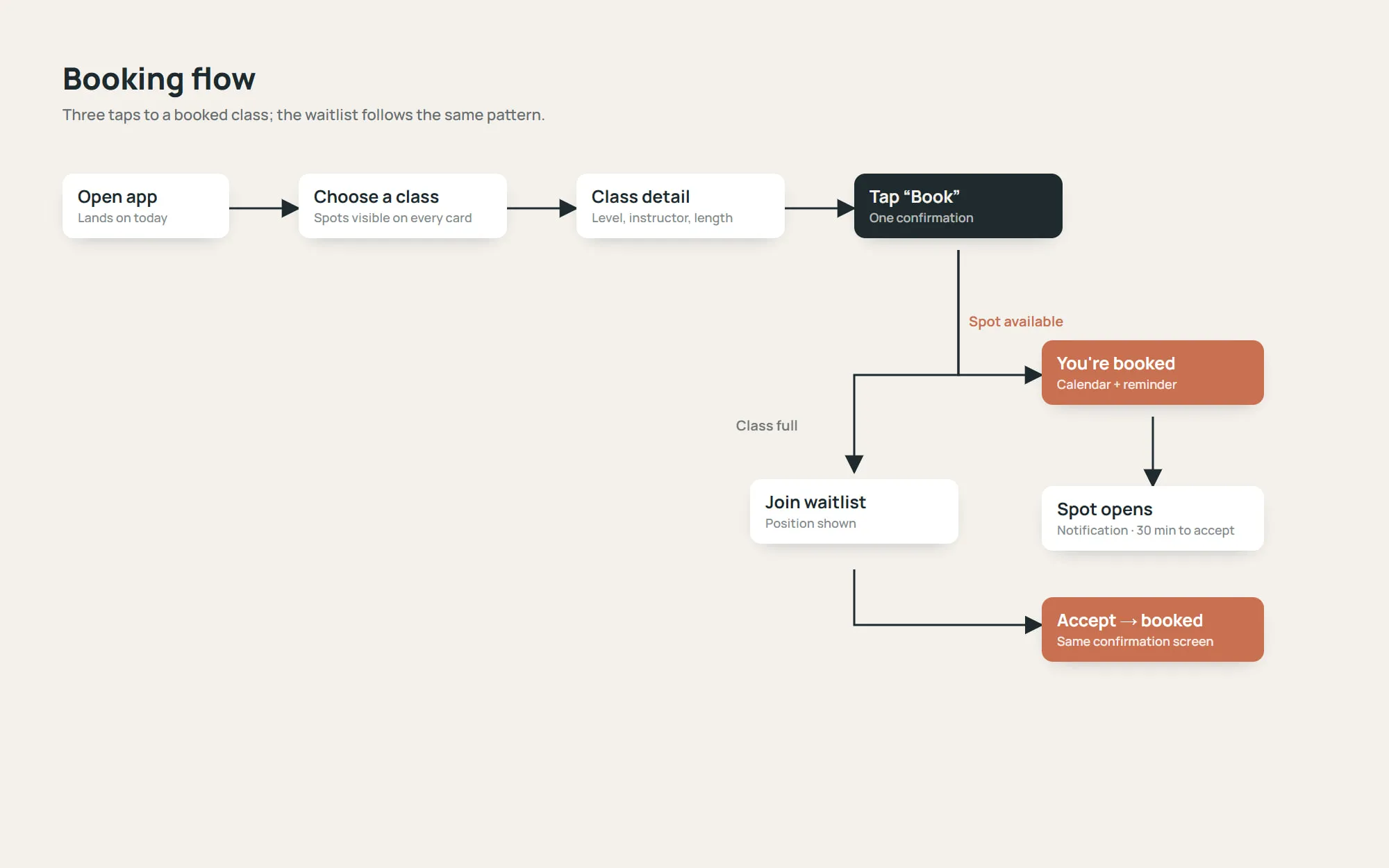
A user-flow diagram from opening the app to a confirmed booking, with a waitlist branch.
03 / 05 The booking flow, including the waitlist branch.
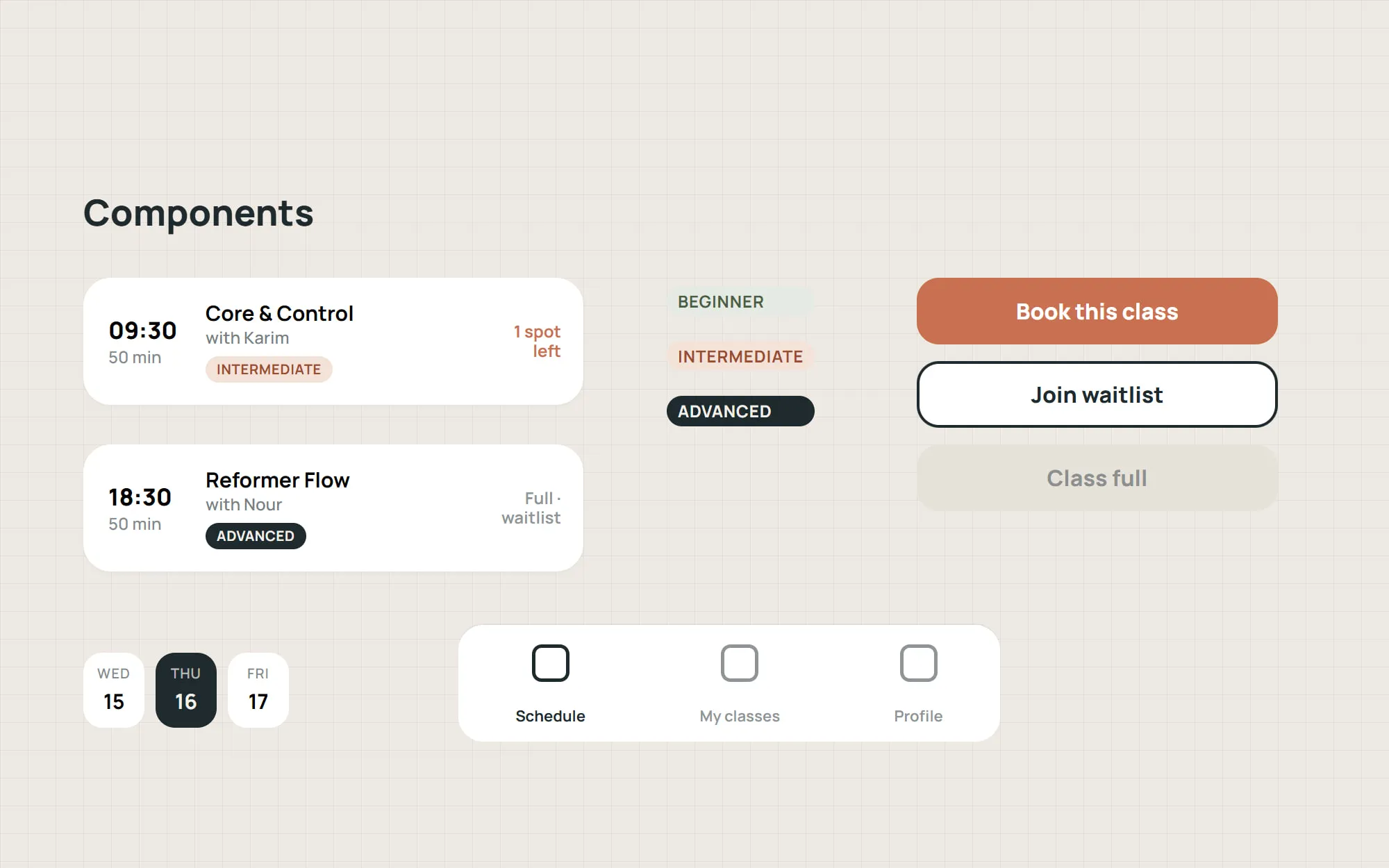
Interface components — class card, level badges, buttons and a time picker — laid out on a grid.
04 / 05 Shared interface components.
Close-up of a class card.
05 / 05 Class card detail.

Concept study. Axis Pilates is a fictional studio created by Z Matchbox to demonstrate an application approach — it is not a client project.

  1. Book in three taps

    Open the app, choose a class with visible spaces left, confirm. Waitlists and cancellations follow the same short pattern.

  2. Information at a glance

    Class level, instructor, length and remaining spots appear on every card, so clients never need to open a class to decide.

  3. The same data behind the desk

    A companion dashboard shows the day's classes, attendance and waitlists, using the same components as the app.

What it shows

  • User-flow design around a single, frequent task
  • A shared design system across a mobile app and a web dashboard
  • Interface design for real operational data such as capacity and waitlists
Design
Z Matchbox Company (concept)
Photography
Licensed stock photography via Magnific, used for illustration
Start an app project →